Mobile app · iPhone and Android
ZenTalk for Agents. Answer every chat and call from your phone.
Live chats, website visitors, calls and your team messenger, all in one app. Step away from your desk without leaving a customer waiting.
Download on theApp StoreGET IT ONGoogle PlayFree to download. For team members of a ZenTalk workspace. Start a free trial on the web first if you are new.
What you can do on the go
The same inbox your team uses on the web, built for a phone.
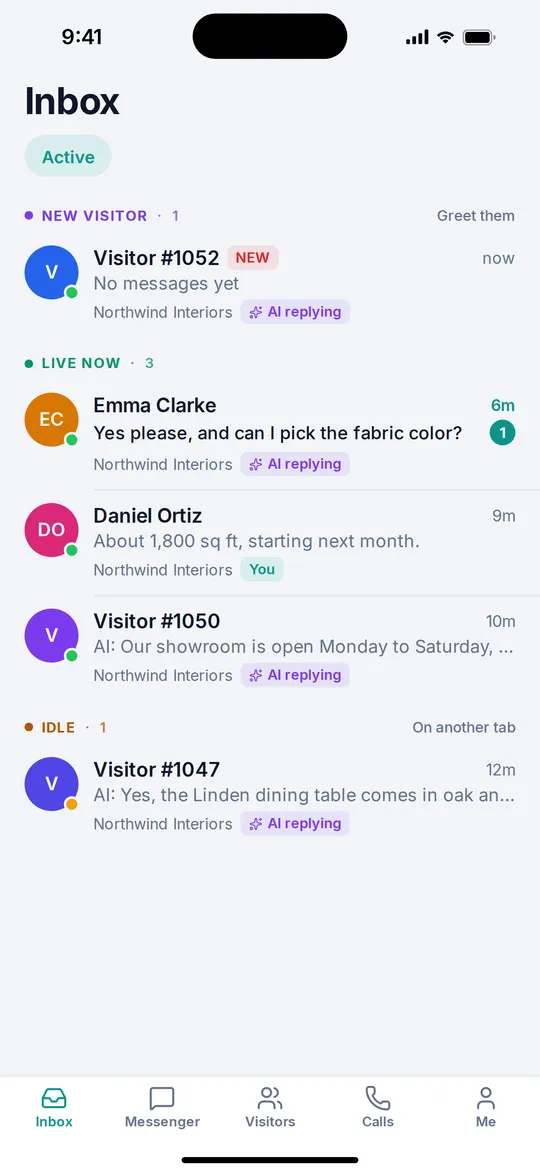
Every conversation in one inbox
Chats from all your websites sit in one list, grouped into new visitors, live, idle and snoozed so you know who needs you first. When the AI hands a chat over to a person, it lands right here. WhatsApp, Facebook and SMS threads show up in the same inbox when your workspace has them connected.
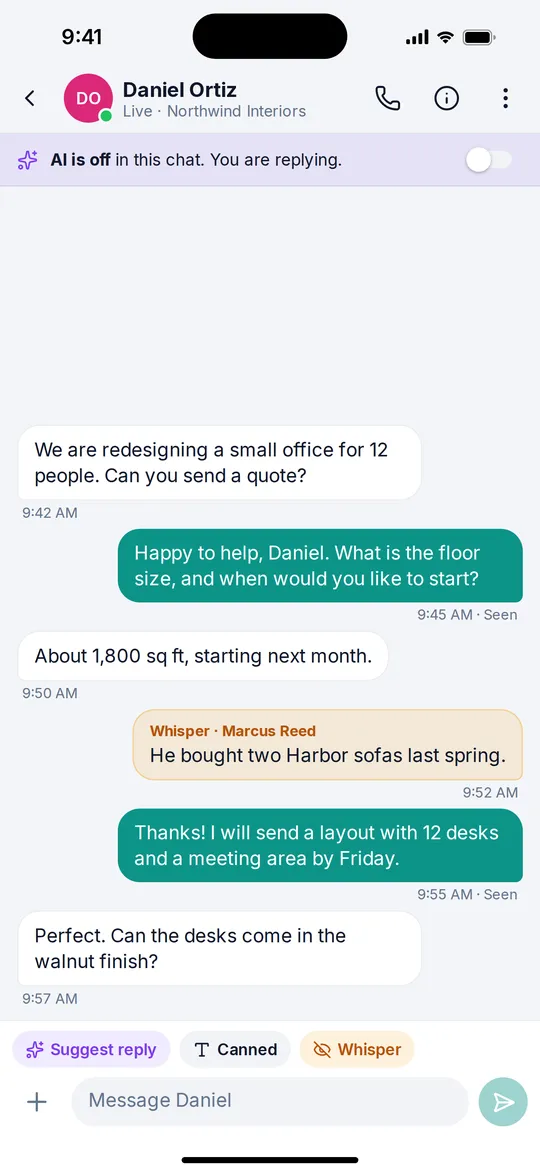
Everything you need inside the chat
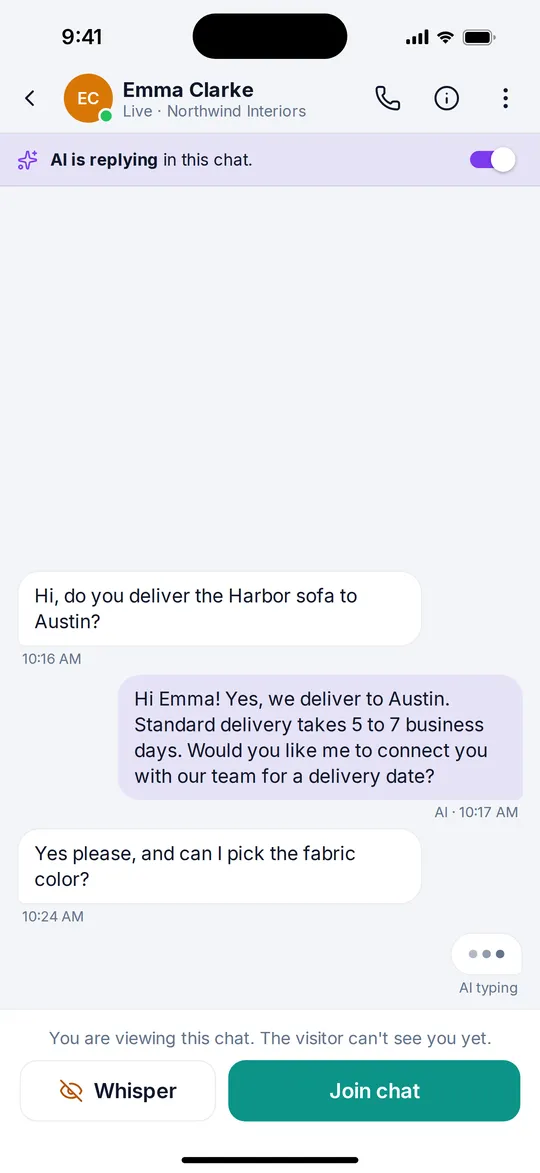
Canned replies, whisper notes only your team can see, AI reply suggestions and a rewrite option for your own draft. Turn the AI on or off for a single chat, send photos and files, send a payment link, snooze, turn a chat into a ticket, email the transcript, or close it when you are done.
Calls that feel like a real phone
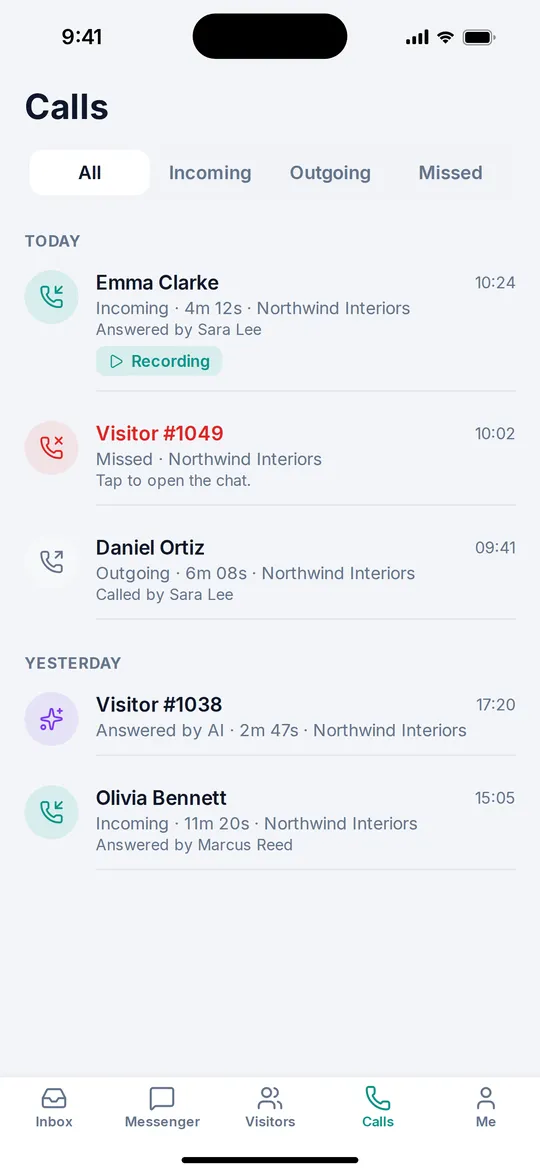
Website visitors can call you from the chat window and the call rings on your phone like a normal call, even on the lock screen. Answer with one tap and keep the chat open while you talk. With a ZenTalk phone number you also take phone calls and dial out from the built in dialpad.
See who is on your site right now
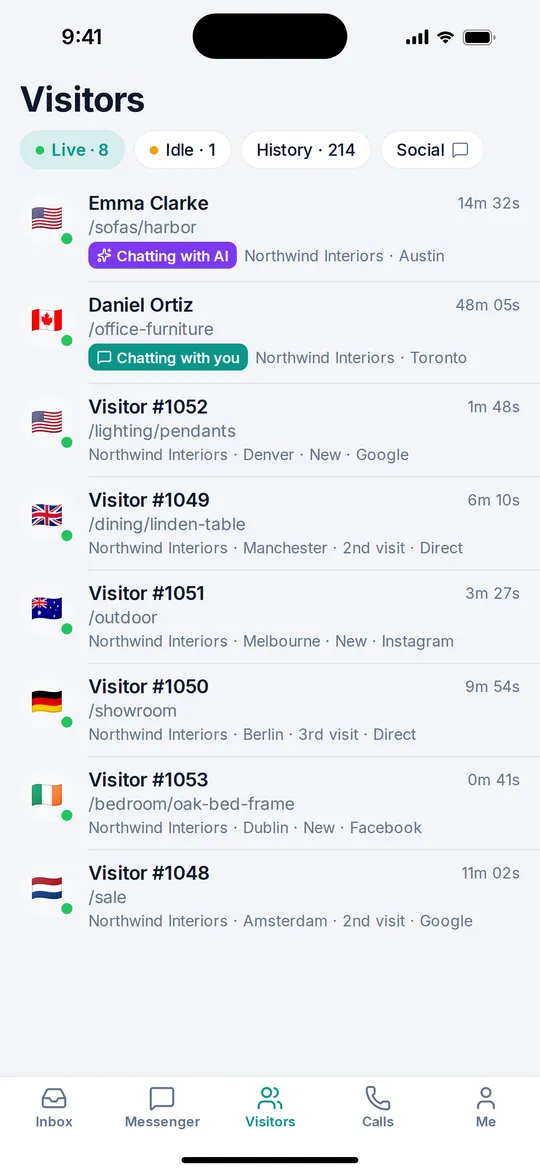
The Visitors tab shows who is browsing, which page they are reading, where they came from, and whether they are already talking to you, a teammate or the AI assistant.
Instant notifications
Get an alert the moment a new chat starts or a customer sends a message, so nobody waits for a reply. Agents are notified for the sites they are assigned to.
Team messenger in your pocket
Message your teammates in channels and direct messages without leaving the app, and switch between your workspaces from the Me tab.
A look inside
Questions, answered
Is the ZenTalk app free?
Yes. The app is free to download on the App Store and Google Play. It uses the seat you already have in your ZenTalk workspace, so there is no extra charge for using it on your phone.
Can I create a ZenTalk account in the app?
No. The app is for team members of an existing ZenTalk workspace. Start your free trial on the web, invite your team from the Team page, and everyone signs in to the app with the same email and password.
Can I answer calls on my phone?
Yes. Calls from website visitors come in on your phone like a normal call, even when it is locked. If your workspace has a ZenTalk phone number, you can also take incoming phone calls and dial out from the app.
Can I use the app and the web dashboard at the same time?
Yes. Each person can be signed in on one browser and one phone at the same time, and both stay in sync in real time.
Which phones does it work on?
ZenTalk for Agents is available for iPhone on the App Store and for Android phones on Google Play.
Get the app
Your customers do not wait for you to get back to your desk.
Download on theApp StoreGET IT ONGoogle PlayNew to ZenTalk? See pricing or read the AI sales chat tour.
One week free. Cancel anytime. No long-term contract.